
Welcome!

Inspiring learning for every stage of life.

img

How to Use Claude for Beginners

By the end of this lesson, learners will be able to set up and confidently navigate the Claude interface acros...

  • Beginner
  • 31 lessons
  • English
  • Certificate on completion

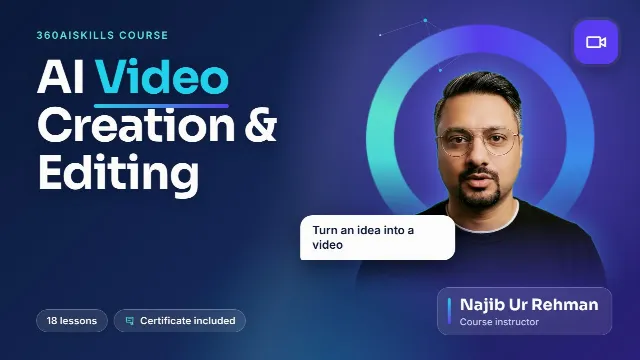
By Najib Ur Rehman

What you will learn

  • By the end of this lesson, learners will be able to set up and confidently navigate the Claude interface across web, mobile, and desktop platforms. They will also learn how to use Claude for daily tasks such as writing emails, summarizing documents, translating content, and planning activities.

About this course

Artificial intelligence is changing how we work — but most people have no idea where to start. This course fixes that.


How to Use Claude for Beginners takes you from creating your very first account to confidently using Claude across writing, content creation, coding, data analysis, and research — no technical background required.


Taught by Najib Ur Rehman, cofounder of 360AISkills and DubaiBliss, this course is built entirely around real, practical use cases: the exact workflows used daily to run content platforms, client projects, and app development. You won't just learn what Claude can do — you'll learn how to actually use it to save hours, create better content, and open new income opportunities.


By the end of this course, you'll be able to write and edit content in your own voice, summarize documents in seconds, fix coding errors without technical panic, turn spreadsheets into client-ready reports, research any topic reliably, and even start offering AI-powered services on platforms like Fiverr and Upwork.


Whether you're a content creator, a small business owner, a freelancer, or simply AI-curious — this course meets you at zero and takes you to confident, daily use.

Course content

8 sections · 31 lessons
Module 1: Getting Started with Claude (5 lessons) 5 lessons
  • What is Claude? Preview 1m
  • Creating Your Account
  • Free Vs Pro Plans
  • Tour of the Interface
  • Your First Conversation
Module 2: Claude as Your Daily AI Assistant (5 lessons) 5 lessons
  • Writing Emails, Messages, Replies
  • Summarizing Documents, PDF, Long Articles
  • Translation & Bilingual Work
  • Planning Travel , Schedules & To-Do Lists
  • Using Claude on mobile for on-the-go tasks
Module 3: Content Writing & Editing ( 5 lessons ) 5 lessons
  • Blog Posts and Articles from Scratch
  • Social Media Captions and Hooks
  • YouTube Scripts and Video Descriptions
  • Editing, Rewriting, and Tone Adjustment
  • Using Styles and Custom Instructions
Module 4: Brainstorming & Ideas ( 3 lessons ) 3 lessons
  • Business Ideas and Validation
  • Content Calendars and Campaign Ideas
  • Naming, Slogans, and Branding Help
Module 5: Coding Help & Debugging ( 3 lessons ) 3 lessons
  • Asking Claude to Explain Code in Plain Language
  • Building a Simple Webpage with Artifacts
  • Fixing Errors — Paste, Ask, Fix Workflow
Module 6: Data Analysis & Insights ( 3 lessons ) 3 lessons
  • Uploading CSV/Excel Files for Analysis
  • Charts and Summaries from Raw Data
  • Business Reports in Minutes
Module 7: Learning & Research ( 3 lessons ) 3 lessons
  • Web Search for Current Information
  • Learning Any Skill with Claude as Tutor
  • Research Projects and Fact-Checking
Module 8: Power User Foundations + Earning 4 lessons
  • Projects and Memory Features
  • Prompting Formulas That Work Every Time
  • How Freelancers in Pakistan/UAE Can Earn with Claude
  • Final Project + Certificate

Requirements

No prior AI or coding experience required
A computer, tablet, or smartphone with internet access
A free Claude account (created in Lesson 2 — no cost to start)
Willingness to practice with real, hands-on examples from your own work or business
(Optional) A Claude Pro subscription for extended usage — covered but not required

Your instructor

Najib Ur Rehman

Artificial Intelligence

Passionate instructor ready to share knowledge.

Continue with these courses

Browse all courses
marquee icon Practical AI Skills
marquee icon New AI Skills Added Regularly
marquee icon Beginner to Pro, Step by Step
marquee icon Mentor360 Guidance Built In
marquee icon 100% Online — Learn Anytime
marquee icon Practical AI Courses, Zero Fluff
marquee icon Practical AI Skills
marquee icon New AI Skills Added Regularly
marquee icon Beginner to Pro, Step by Step
marquee icon Mentor360 Guidance Built In
marquee icon 100% Online — Learn Anytime
marquee icon Practical AI Courses, Zero Fluff
marquee icon Practical AI Skills
marquee icon New AI Skills Added Regularly
marquee icon Beginner to Pro, Step by Step
marquee icon Mentor360 Guidance Built In
marquee icon 100% Online — Learn Anytime
marquee icon Practical AI Courses, Zero Fluff